Skip to content
sstevestudioJoin early access
← Back to SteveBuilt in Steve / Project walkthrough

Off the Line.
Inside a real project.

A normal drive becomes a race between a jeep and a sports car. Follow the saved work from the original idea to a generated scene.

10 scenes in the script30 shots in the plan24 sec saved generated scene

Project in development. Screenshots captured from Studio on 27 September 2026. Images and clips are saved project artifacts.

01 / Start with an idea

The premise stays
beside the script.

The original story asks for a highway race that ends when the sports car goes off the road. Studio keeps that brief visible beside the writing tools.

“A normal trip on highway turned into a race”Excerpt from the original story entered for this project
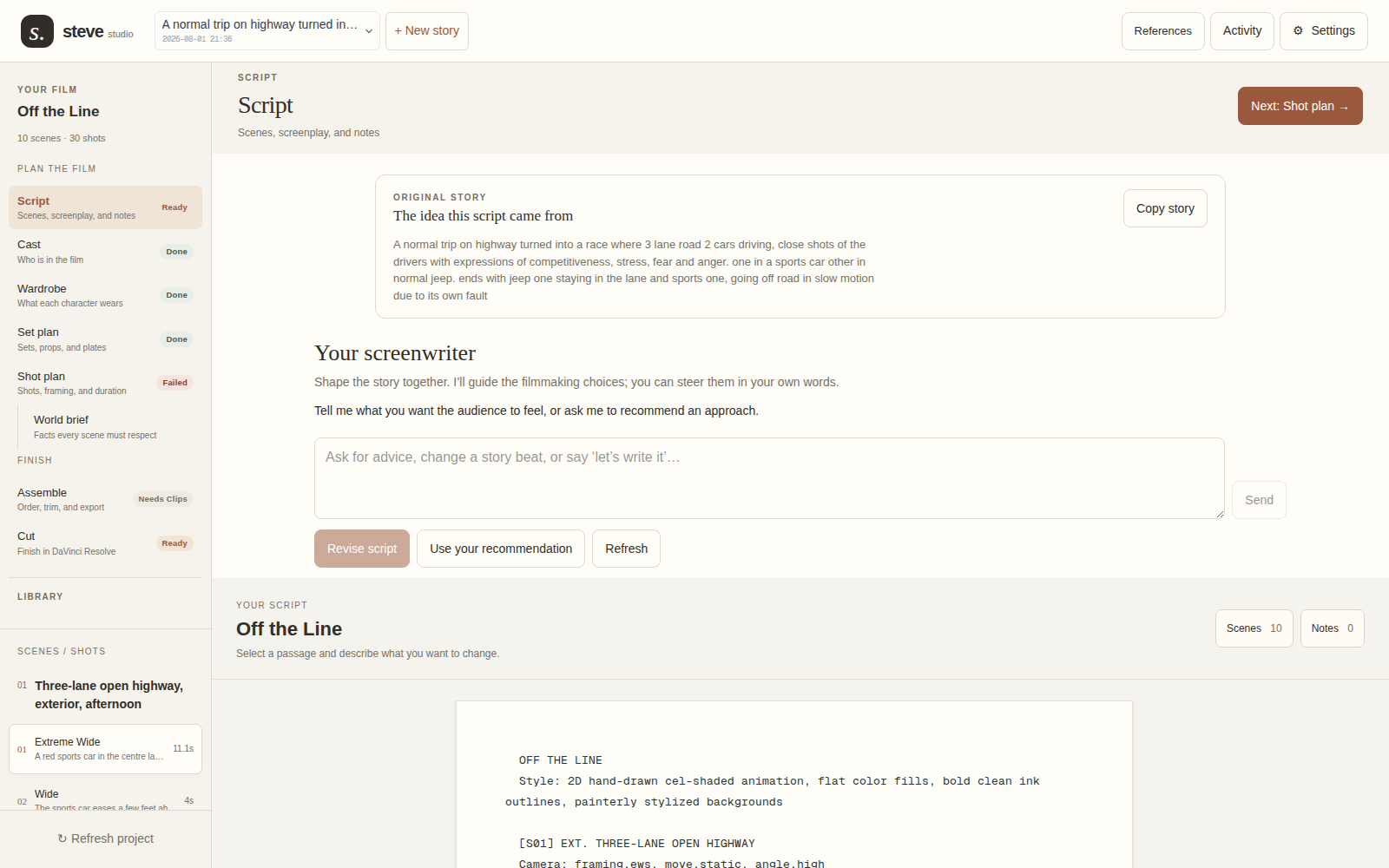
Actual Steve Studio Script screen for Off the Line, with the original premise and saved screenplay
Actual Studio screen · Original story, writer workspace, and saved scriptView full size ↗

The saved screenplay contains ten scenes. This older project is open in the current Studio interface; the screenshot does not document a new writing run.
02 / Develop the cast

Two drivers.
Two distinct identities.

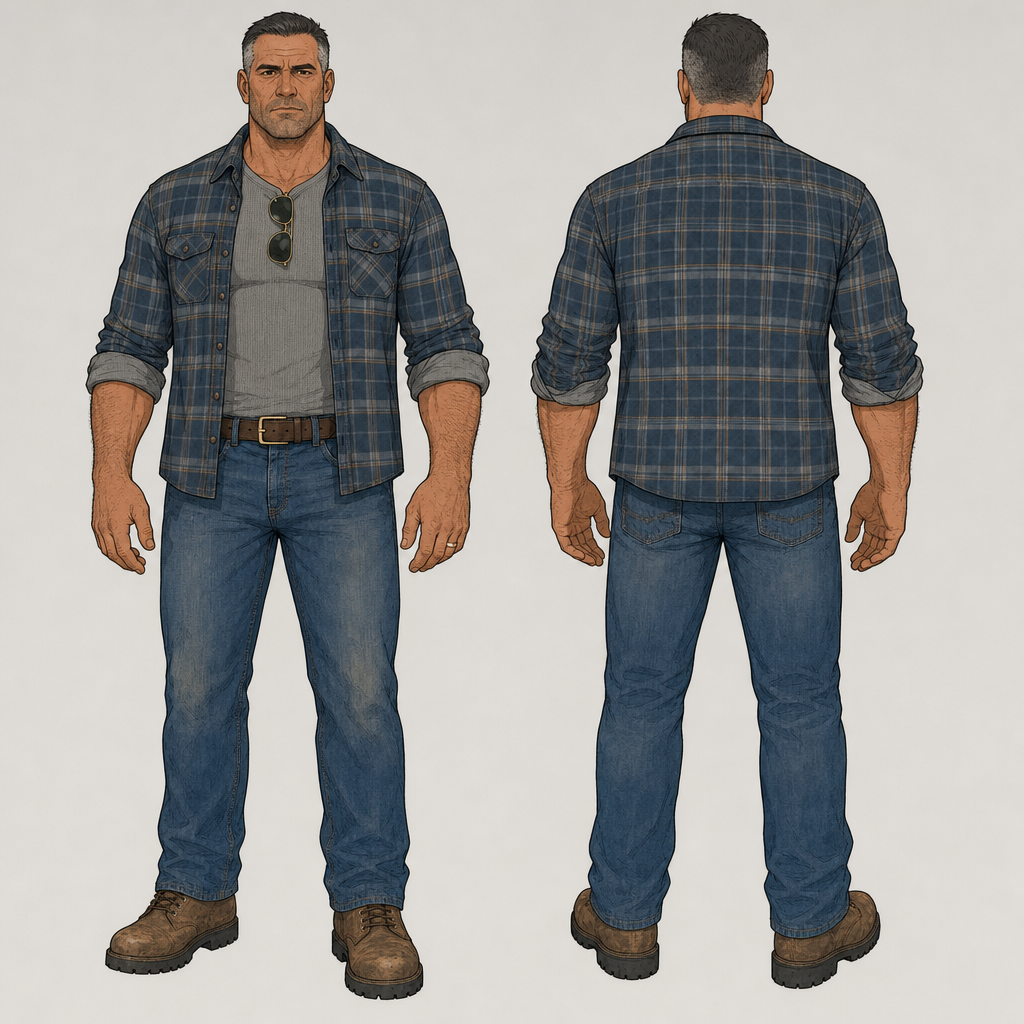
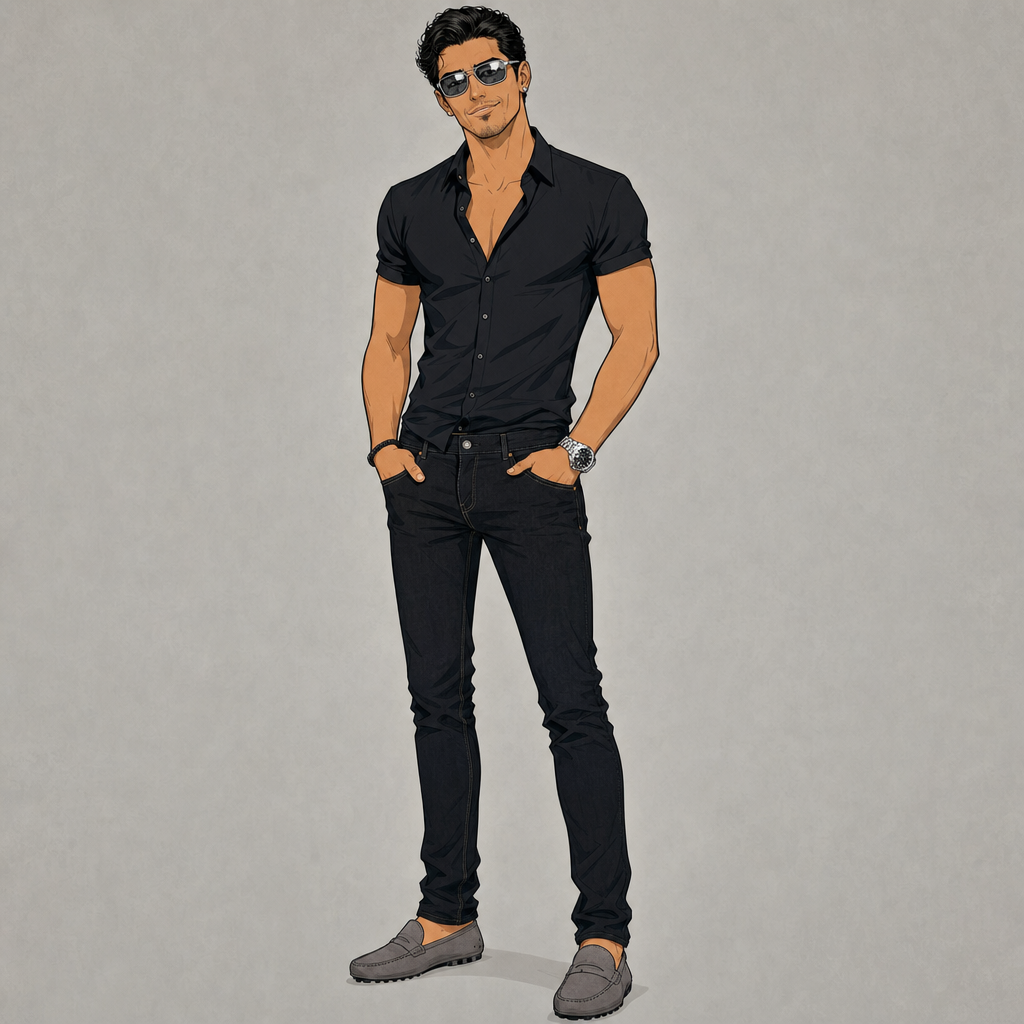
The project stores a reference image for each driver. These sheets give the character design a concrete starting point for later shots.

Saved Jeep Driver character reference, front and back, wearing a blue checked shirt and jeans
Generated character reference · Jeep DriverView full size ↗
Saved Sports Car Driver character reference
Generated character reference · Sports Car DriverView full size ↗
Explore character development ↗
03 / Make the scene visible

Characters, setting,
and shots in one board.

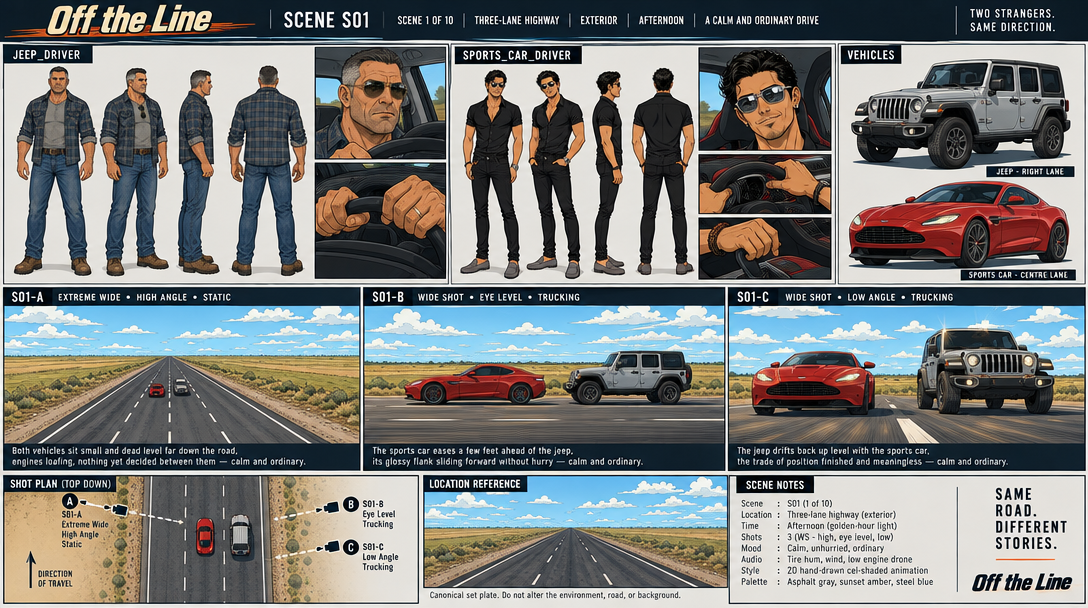
Scene 1’s saved storyboard brings together the cast, vehicles, setting, and three camera views. Open it at full size to inspect the details.

Saved Scene 1 storyboard for Off the Line, including character references, vehicles, wide shots, and camera positions
Saved generated storyboard · Scene 1View full size ↗
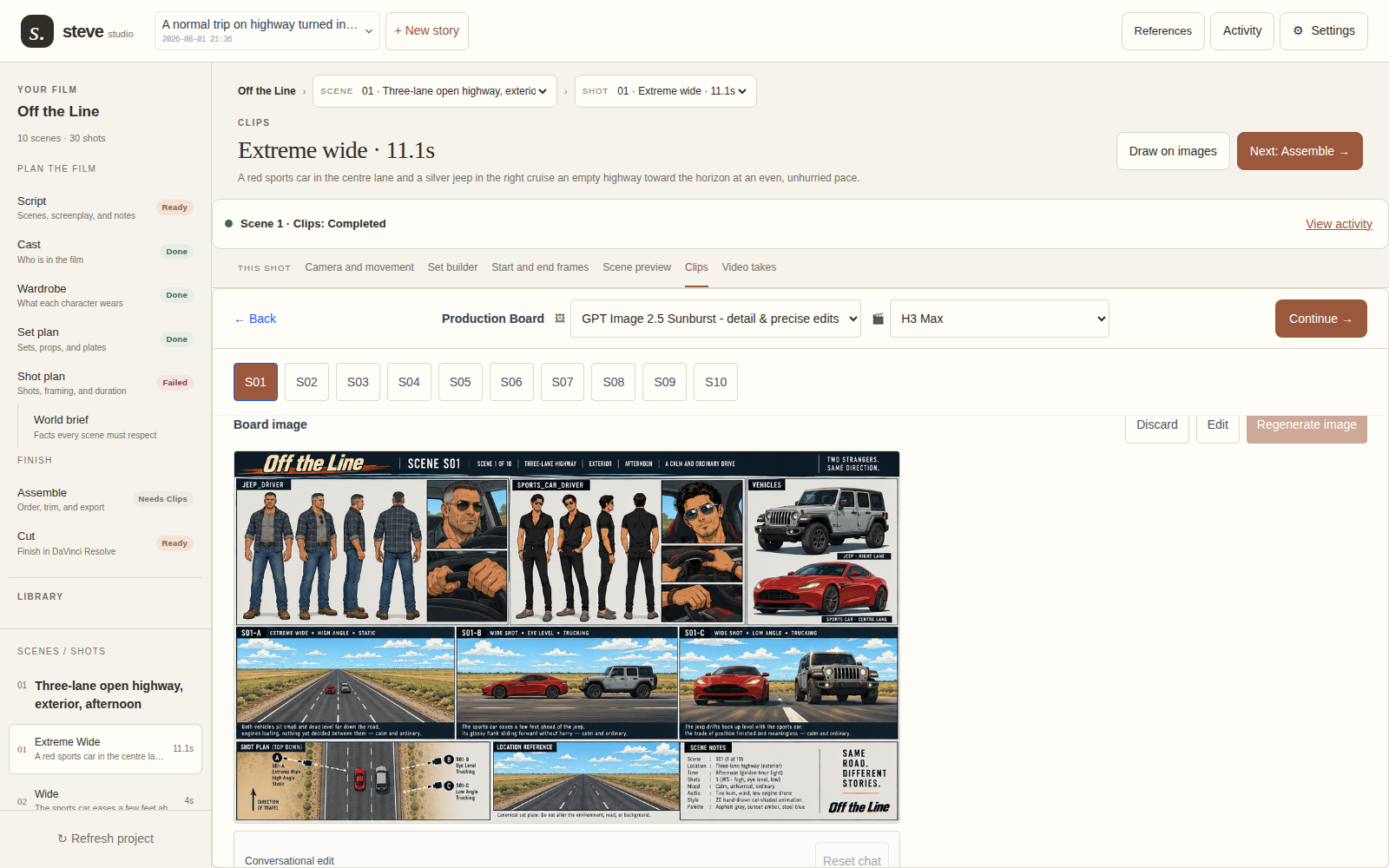
See this board inside the actual Studio
Actual Studio Clips screen displaying the saved Off the Line storyboard
Actual Studio screen · Clips workspace with the saved boardView full size ↗
Explore storyboarding ↗
04 / Inspect the movement

Work through the shot
before the final take.

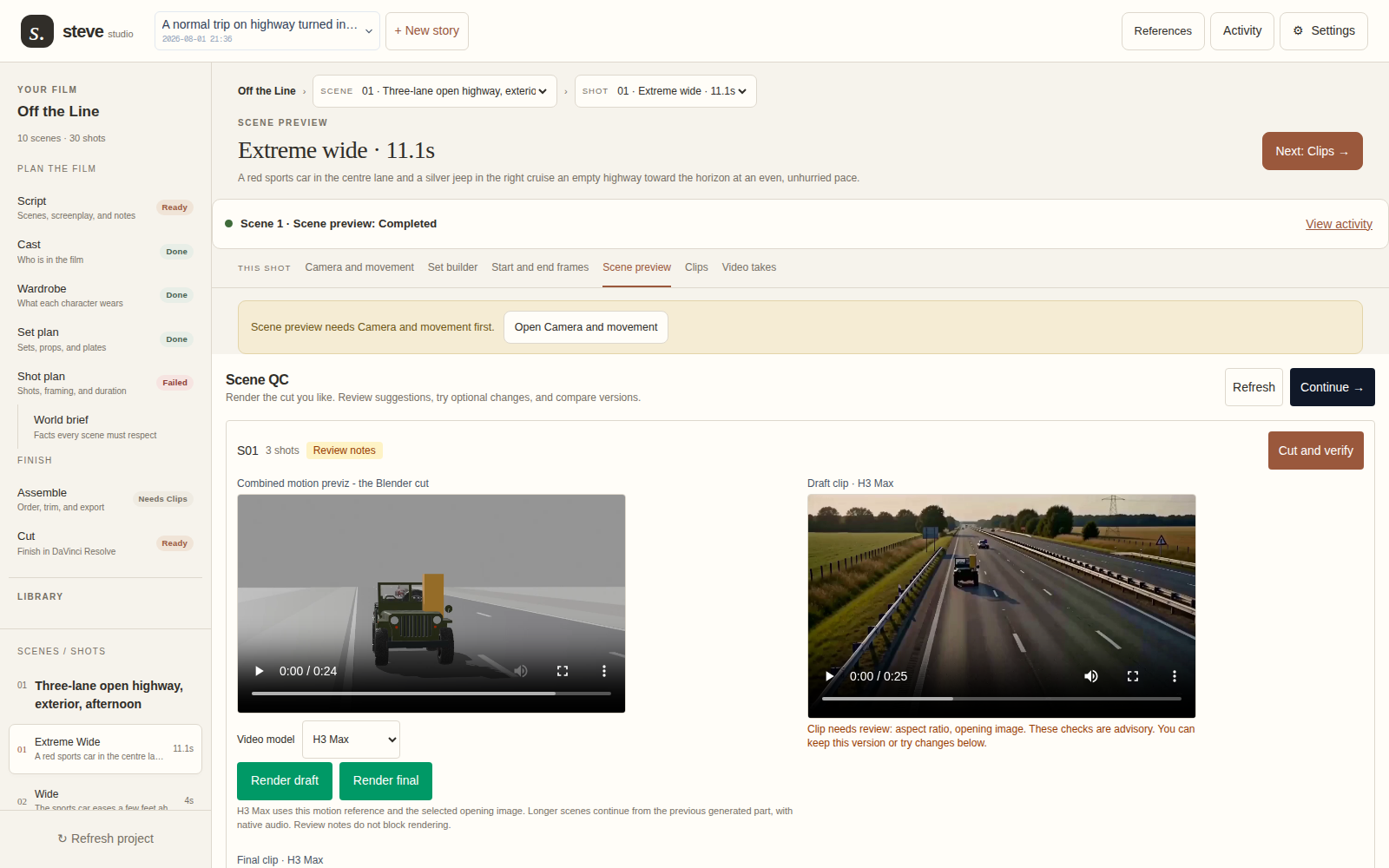
The scene preview puts a 3D motion preview beside a generated draft. Review notes and unfinished stages remain visible in the screenshot.

Actual Studio Scene preview screen comparing the 3D motion preview with a generated draft and review notes
Actual Studio screen · Motion preview, draft clip, and review feedbackView full size ↗
Play the saved 3D motion preview
Saved 3D motion preview · Used to inspect staging and camera movement
Explore shot direction ↗
05 / Watch the saved result

A scene you
can actually play.

This is the project’s saved generated Scene 1 clip. Play it and compare its vehicles, setting, and camera work with the earlier material.

Saved generated clip · Scene 1 · Approximately 24 seconds · 832 × 480
Explore what you can make ↗
A studio for your next idea

Bring the story.
Make it yours.

Steve is in invite-only beta. Join the early-access list and tell us what you want to make. We’ll reach out when we’re ready to welcome you.

Join early access

Already have an account? Open Studio ↗